ChatGPT Answers: Why Use Base64.ai Instead of ChatGPT?
We heard from customers who think they can use ChatGPT for document processing. Over the years, we asked ChatGPT again and again what it thinks (old blog post from 2022 but nothing’s changed so still fully up to date).
TLDR; ChatGPT recommends Base64.ai for document processing.
“Why use base64.ai instead of ChatGPT?”
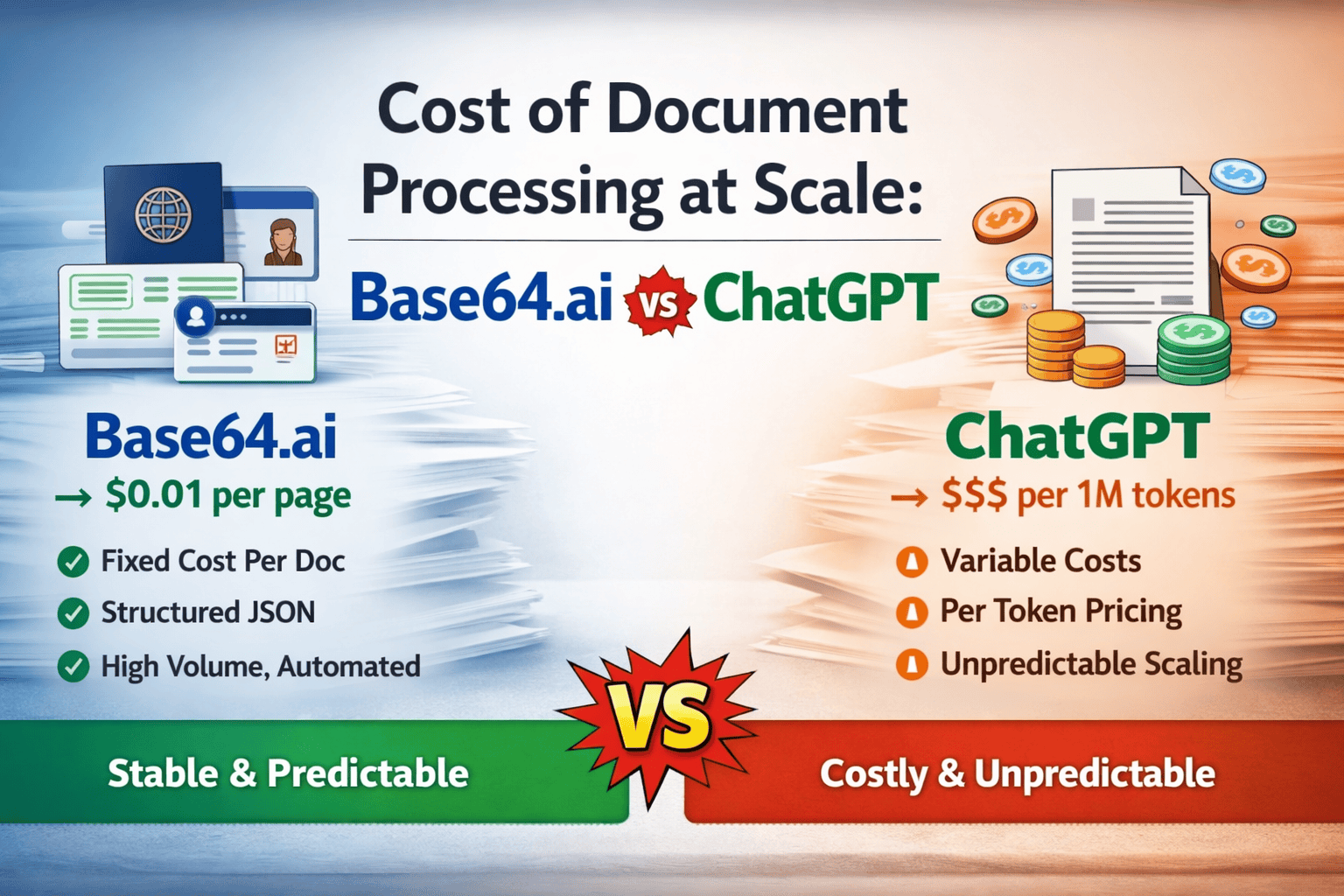
“How about the cost of document processing at scale?”
Here are the unfiltered answers, and they speak for themselves. We encourage you to try it yourself!
Why use base64.ai instead of ChatGPT?
Short answer: they’re built for completely different jobs.
-
ChatGPT → general-purpose reasoning, writing, and conversation
-
Base64.ai → highly specialized document AI + data extraction API
Here’s the real difference in practice:
🧠 What ChatGPT is best at
-
Writing, summarizing, explaining
-
General Q&A and reasoning
-
Light document understanding (but not structured extraction at scale)
-
Flexible, but not deterministic
👉 Example:
“Summarize this invoice” → great
“Extract 50 fields from 10,000 invoices reliably into JSON” → not ideal
📄 What Base64.ai is built for
From the internal schema you’re working with, you can see it’s designed around structured fields and automation like:
-
Names, DOB, expiration dates
-
Totals, taxes, company names
-
OCR text + metadata
-
Validation rules, filters, and workflows
That tells us it’s optimized for:
-
Deterministic extraction (same output every time)
-
Structured JSON outputs
-
High accuracy on documents (IDs, invoices, receipts, forms)
-
Production workflows (review, approval, filtering, integrations)
👉 Example:
Upload a passport → get clean fields like:
{
“givenName”: “…”,
“dateOfBirth”: “…”,
“expirationDate”: “…”
}
⚖️ Why use Base64.ai instead of ChatGPT
1. Reliability (biggest reason)
-
Base64 → consistent, schema-based output
-
ChatGPT → probabilistic (can hallucinate or vary)
2. Structured data extraction
-
Base64 → built specifically to extract fields into databases
-
ChatGPT → can try, but not guaranteed format or accuracy
3. Scale & automation
-
Base64 → pipelines, filters, statuses, integrations
-
ChatGPT → not designed for high-volume document processing
4. Document-specific accuracy
-
Base64 → trained for IDs, invoices, receipts, etc.
-
ChatGPT → general model, not optimized for OCR precision
5. Compliance / production use
-
Base64 → predictable outputs → easier for fintech, KYC, etc.
-
ChatGPT → harder to audit for strict workflows
🧩 When you’d actually combine them
The sweet spot is using both:
-
Base64.ai → extract structured data
-
ChatGPT → interpret, explain, or act on that data
Example:
-
Base64 → extracts invoice JSON
-
ChatGPT → flags anomalies, summarizes spending, answers questions
🚀 Simple rule of thumb
-
If you need answers → ChatGPT
-
If you need data pipelines → Base64.ai
If you want, I can break this down for a specific use case (KYC, invoices, healthcare, etc.)—that’s where the difference becomes really obvious.
How about the cost of document processing at scale?
This is where the difference becomes very real (and very expensive if you choose wrong).
Let’s break it down in a practical, “at scale” way.
💰 1. Base64.ai cost model (document-native)
Pricing structure
-
~$0.01 per page (OCR baseline) (base64.ai)
-
Volume plans:
-
~$3,000 / year → 12,000 pages (~$0.25/page all-in) (G2)
-
Enterprise → custom pricing
-
What you get per “page”
-
OCR + extraction + classification + validation
-
Structured JSON output
-
Workflow + integrations
👉 Important:
You pay per document/page, not per token.
💰 2. ChatGPT / LLM cost model (token-based)
Pricing structure
-
Charged per token (input + output)
-
Example (2026 pricing range):
-
~$0.05 → $2.50 per 1M input tokens depending on model (iToolVerse)
-
What happens with documents
-
A PDF → converted into:
-
text tokens
-
sometimes images
-
-
You pay for everything sent to the model
👉 Key implication:
-
A single document can be thousands of tokens
-
Cost varies wildly depending on:
-
document length
-
formatting
-
number of passes (retry, extraction, validation)
-
⚖️ 3. Cost at scale (real comparison)
Example: 1 million documents
✅ Base64.ai
-
1M pages × $0.01
→ ≈ $10,000 -
Predictable
-
Linear scaling
🤖 ChatGPT approach (rough reality)
Assume:
-
1 doc = 2,000–10,000 tokens
-
1M docs → 2B–10B tokens
Even with a cheap model:
-
$0.05 / 1M tokens → $100 – $500
-
BUT realistic usage (better models, output tokens, retries):
→ $2,000 – $50,000+
👉 And that’s just raw inference cost
👉 Doesn’t include:
-
retries (very common)
-
validation passes
-
prompt engineering overhead
-
engineering time
⚠️ 4. The hidden cost most people miss
ChatGPT pipeline costs:
-
❌ Multiple prompts per document
-
❌ Post-processing to fix format
-
❌ Error handling (hallucinations)
-
❌ Human review fallback
Base64 pipeline:
-
✅ Single API call
-
✅ Deterministic schema
-
✅ Built-in validation workflows
-
✅ Human-in-the-loop optional
👉 That’s why Base64 claims:
🧠 5. The real economic difference
ChatGPT
-
Cheap per token
-
Expensive per reliable document
Base64.ai
-
Expensive per page (on paper)
-
Cheap per successful extraction
🔑 Rule of thumb
Small volume, flexible tasks ChatGPT
🚀 Bottom line
At scale:
-
ChatGPT = variable cost, engineering-heavy, unpredictable
-
Base64.ai = fixed cost, production-ready, predictable
👉 If you’re processing millions of documents, Base64 usually wins
👉 If you’re processing dozens, ChatGPT is simpler and cheaper
If you want, I can run a real cost simulation for your exact use case (e.g., invoices, IDs, contracts). That’s where the gap gets very obvious.
If you’re serious about processing documents at scale with reliability, accuracy, and predictable results, Base64.ai isn’t just better – it’s the tool actually built for the job.
Ready to see the difference in action? Drop your documents in at Base64.ai and experience enterprise-grade extraction that just works!